
 By Taylor Bennett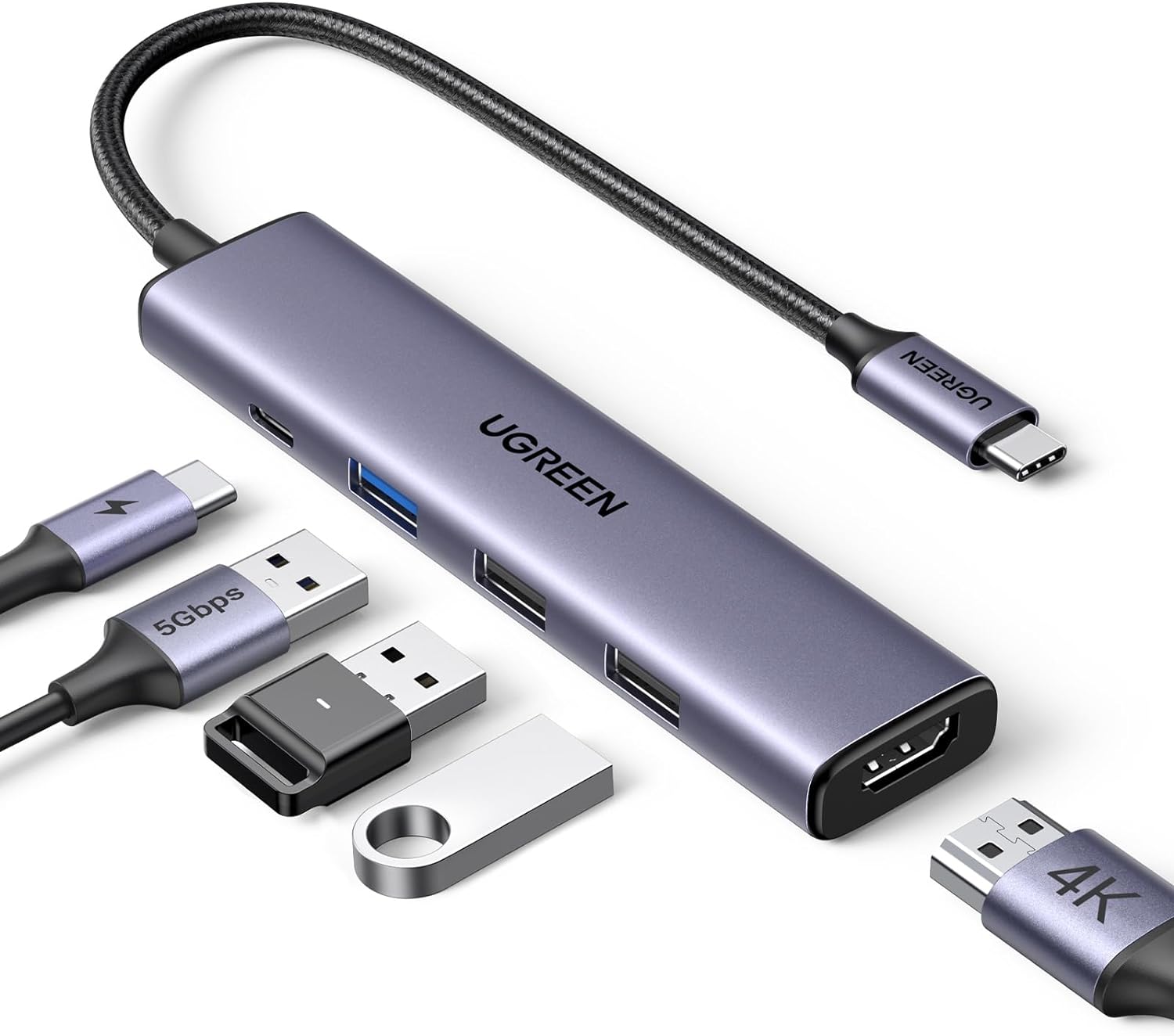


UGREEN USB C Hub 5 in 1 Multiport Adapter Review
In today’s world of increasingly portable and streamlined devices, the need for versatile connectivity solutions has never been greater. That’s where USB-C hubs come in, promising to expand the capabilities of your laptop, tablet, or even phone. Today, we’re reviewing the UGREEN USB C Hub 5 in 1 Multiport Adapter Revodok 105 4K HDMI, 100W Power Delivery, 3 USB-A Data Ports, USB C Dongle for MacBook Pro/Air, iPad Pro, iMac, iPhone 16 Pro/Pro Max, XPS, Thinkpad, a popular choice for users seeking to enhance their device’s connectivity.
Detailed Review
The UGREEN 5-in-1 USB-C Hub is designed to be a compact and efficient solution for expanding the ports on your USB-C enabled devices. It features a 4K HDMI port, a 100W USB-C Power Delivery port, one USB-A 3.0 port (5Gbps), and two USB-A 2.0 ports (480Mbps). This combination aims to provide a balance between video output, charging capabilities, and data transfer.
In testing, the HDMI port performed as expected, delivering a crisp 4K 30Hz signal to an external monitor. The 100W Power Delivery is a welcome addition, allowing you to charge your laptop while simultaneously using the other ports. Note that 5W is reserved for the hub’s operation, so you effectively get 95W for charging. The USB-A 3.0 port offers fast data transfer speeds, which is great for quickly moving large files. The additional USB-A 2.0 ports are useful for connecting peripherals like keyboards and mice.
A key strength is its broad compatibility. It works seamlessly with Windows, macOS, and Linux, and is compatible with a wide range of devices, including MacBooks, iPads, Chromebooks, Surface devices, XPS laptops, ThinkPads, and even newer iPhones and Galaxy phones. The plug-and-play functionality means there are no drivers to install, making it incredibly easy to use.
However, the 4K HDMI output is limited to 30Hz, which might be a drawback for users who require a higher refresh rate for smoother visuals, especially in gaming or video editing. Also, it’s important to remember that the USB-A ports are primarily for data transfer and are not recommended for charging devices.
Pros & Cons
| Pros | Cons |
|---|---|
| Compact and portable design | HDMI limited to 4K 30Hz |
| 100W USB-C Power Delivery | USB-A ports not recommended for charging |
| Fast 5Gbps USB-A 3.0 data transfer | Plugging/unplugging PD charger during data transfer can cause issues |
| Broad compatibility (Windows, macOS, Linux, etc.) | |
| Plug-and-play functionality (no drivers needed) |
Excellent Alternatives
Here are some excellent alternatives to the UGREEN hub:
USB C Hub HDMI 4K 60Hz – For users needing a higher refresh rate on their external display.
USB C Hub with Ethernet – An alternative if you require a wired internet connection in addition to the other ports.
USB C Hub with SD Card Reader – A good choice for photographers and videographers who need easy access to SD cards.
Final Verdict
The UGREEN 5-in-1 USB-C Hub is a solid choice for users looking for a simple and effective way to expand their device’s connectivity. Its compact design, broad compatibility, and useful port selection make it a valuable addition to any workspace. While the 4K 30Hz limitation might not suit everyone, it’s a great all-around hub for everyday tasks and productivity.
Our Rating
★★★★☆ 4/5
 themegs