
 By Taylor Bennett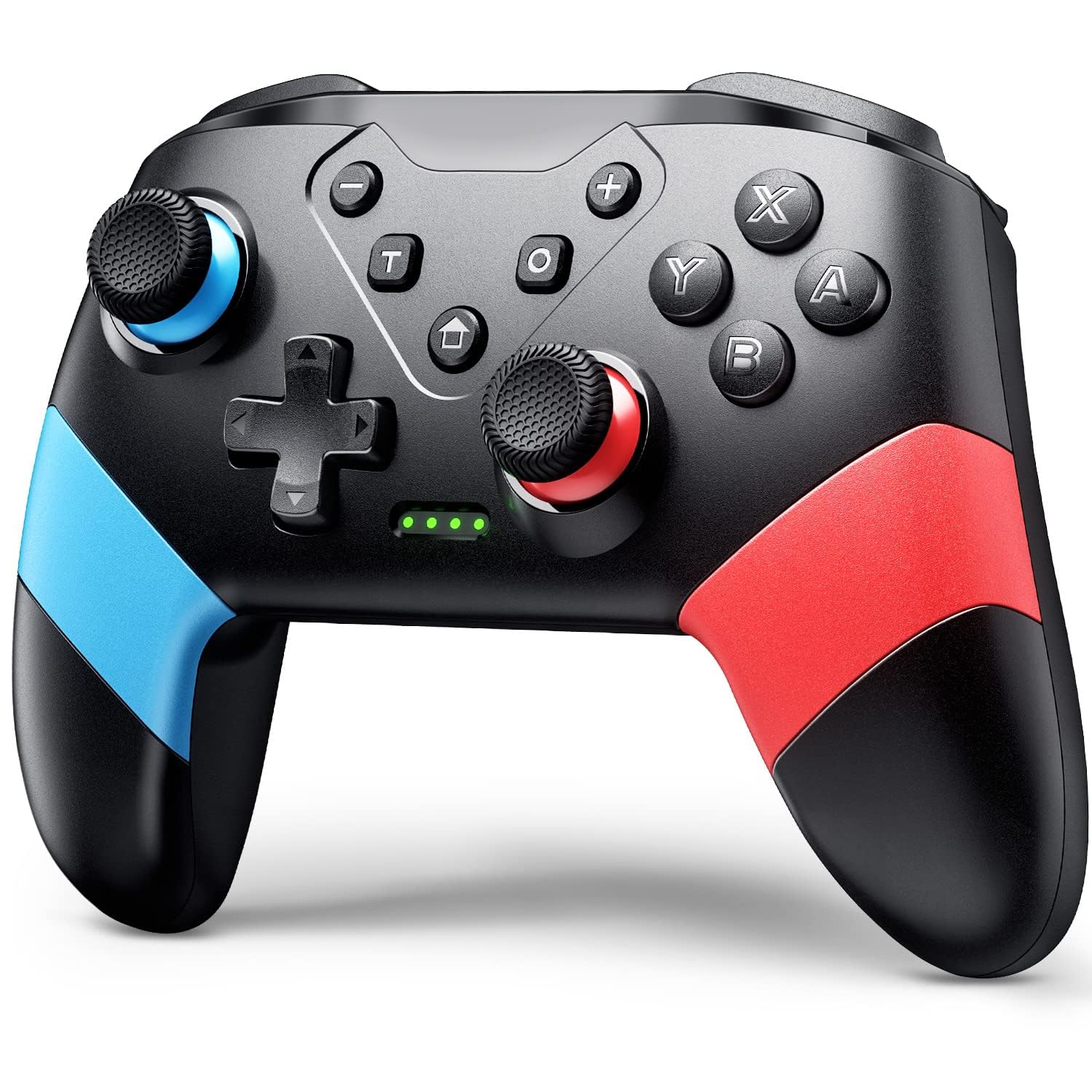


VOYEE Switch Controller Review: Is it the Pro You Need?
Looking for an alternative to the official Nintendo Switch Pro Controller? Today, we’re reviewing the VOYEE Switch Controller, a feature-packed wireless option that promises compatibility across the Switch family, programmable buttons, and immersive gameplay. Does it live up to the hype? Let’s dive in!
Detailed Review
The VOYEE Switch Controller aims to be a versatile and affordable alternative to the official Pro Controller, and for the most part, it succeeds. The controller boasts compatibility with the Nintendo Switch, Switch Lite, and Switch OLED models, making it a flexible option for users across the Switch ecosystem. Wireless connectivity is seamless, and the inclusion of a USB-C cable allows for wired play on PCs, expanding its utility beyond the Switch console.
One of the standout features is the inclusion of programmable M1 and M2 buttons on the back. This allows users to map up to 16 different actions to these buttons, enabling complex commands with a single press. The programming process, while initially requiring a bit of learning curve, becomes intuitive after a few attempts. The provided instructions are clear and concise, guiding users through the mapping process step-by-step.
In terms of performance, the VOYEE controller delivers a responsive and enjoyable gaming experience. The built-in gyro sensor facilitates motion controls, providing accurate and precise movements in compatible games. The adjustable vibration feedback adds another layer of immersion, allowing players to feel the impact of in-game events. Furthermore, the turbo function, with its adjustable burst speeds (5, 12, and 20 shots per second), offers a competitive edge in action and arcade titles.
Ergonomics are also well-considered. The controller features a comfortable grip that suits a wide range of hand sizes. The button layout is familiar and intuitive, and the overall build quality feels reasonably robust for its price point. The long battery life, rated at up to 15 hours, ensures extended gaming sessions without frequent charging.
However, it is worth noting that the plastic material used in the controller construction doesn’t feel quite as premium as the official Pro Controller. Also, some users might find the D-pad a bit mushy compared to other high-end controllers. The process of switching between Xinput and Dinput modes on PC could be more streamlined.
Pros & Cons
| Pros | Cons |
|---|---|
| Wide compatibility (Switch/Lite/OLED/PC) | Plastic material feels less premium |
| Programmable M1/M2 buttons | D-pad could be improved |
| Motion control and vibration | Xinput/Dinput switching on PC could be easier |
| Turbo function with adjustable speed | |
| Long battery life | |
| Ergonomic design |
Excellent Alternatives
- Nintendo Switch Pro Controller – The official option for a reason, it offers premium build quality and seamless integration.
- 8BitDo Pro 2 Controller – A versatile controller with excellent customization options and cross-platform compatibility.
- PowerA Enhanced Wireless Controller for Nintendo Switch – A more affordable option with various designs and licensed by Nintendo.
Final Verdict
The VOYEE Switch Controller offers a compelling blend of features, functionality, and affordability. While it may not match the premium feel of the official Pro Controller, its programmable buttons, motion control, vibration feedback, and wide compatibility make it a worthwhile alternative, especially for budget-conscious gamers looking to enhance their Switch experience. If you are looking for a solid all-around controller that won’t break the bank, this is a great choice.
Our Rating
★★★★☆ 4/5